 NotchMuse
The anatomy of a truly native floating lyric display
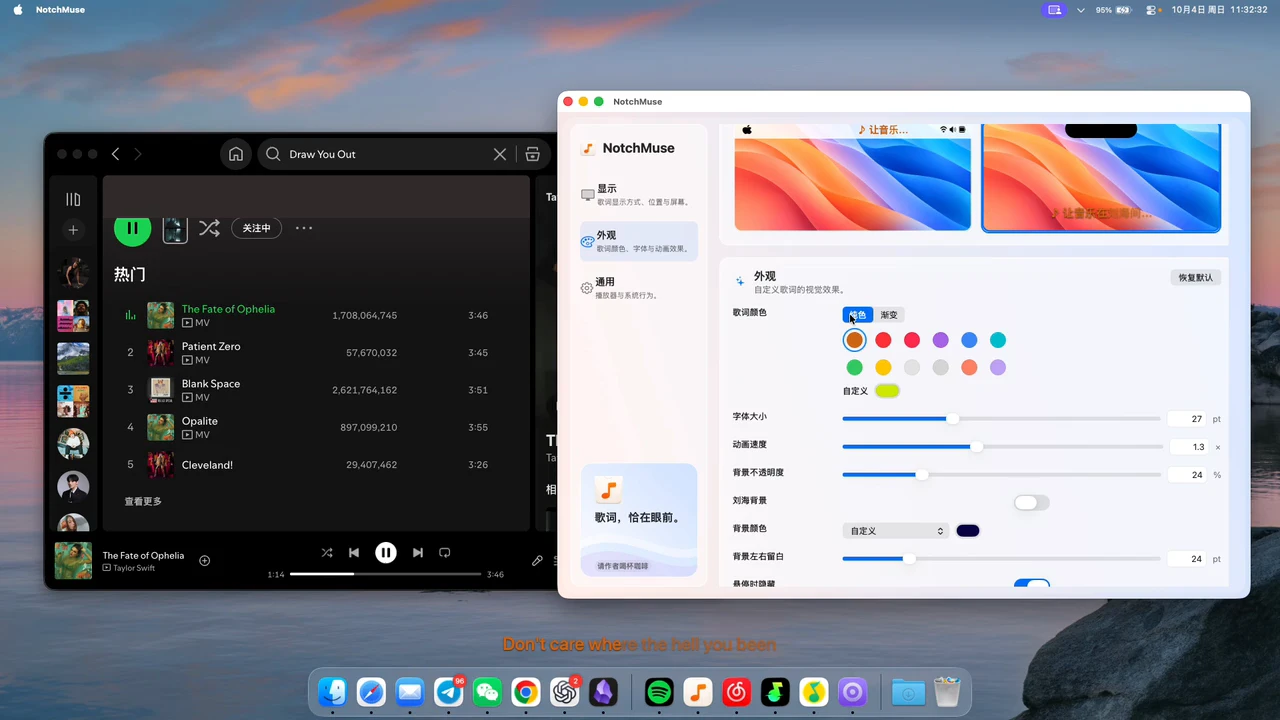
A good floating lyric overlay should never steal focus or block your clicks. NotchMuse renders a clean native Swift/AppKit overlay with click-through support, so you can interact with editors, browsers, and buttons directly behind the lyrics.
Flexible placement: above the Dock, freely draggable, or locked
Drag the floating lyric bar anywhere on your desktop—above the Dock, near the top edge, or beside your active window—adjust orientation, and lock its position once you find the sweet spot.
Tune color presets, opacity, maximum width, and animation speed to blend cleanly with your wallpaper and apps. You can also switch to Status Bar Mode or Notch Mode anytime.
Universal compatibility across all supported players
One overlay works across Spotify, Apple Music, NetEase Cloud Music, QQ Music, and Soda Music with Auto Detect, so switching players never requires reconfiguring plugins.
Lightweight and privacy-first
NotchMuse requires no account and never reads or uploads your audio. It is actively maintained for macOS 14+ on Apple silicon and designed to stay quietly out of your way.
Questions before you try it
Can I click through the floating lyric overlay while working?
Yes. NotchMuse supports click-through mode, so you can interact with windows, code editors, and buttons directly behind the lyrics without accidental clicks.
Does the floating overlay stay visible while using other apps?
Yes. NotchMuse stays above regular application windows while you work, without stealing keyboard focus or interrupting your typing.
How does NotchMuse differ from older floating lyric apps like LyricsX?
NotchMuse is actively maintained for macOS 14+ on Apple silicon, offering modern notch and menu bar integrations with zero manual lyric file management.
What customization settings are supported?
You can choose color presets, adjust opacity and maximum display width, customize animation speeds, and toggle position locks.
Installation and privacy
The public release requires macOS 14+ and Apple silicon; Intel is not supported. Direct downloads are ad-hoc signed, without Developer ID signing or Apple notarization, so first launch may show a security prompt. Read the installation steps.
The app needs no account and does not read or upload audio. Track metadata may be sent to third-party lyric providers. Website analytics is separate from the app; a download click does not confirm installation. Privacy and website analytics
Sources and further reading
Documentation reviewed November 21, 2026. Player interfaces and third-party services can change.