 NotchMuse
Apple Music already has lyrics and a MiniPlayer
In Music on Mac, play a song and click the Lyrics button to see available lyrics. Apple also provides a MiniPlayer: open it from Music’s Window menu and use its Lyrics button where lyrics are available.
MiniPlayer can stay in the foreground: Music → Settings → Advanced includes “Keep MiniPlayer on top of all other windows.” If you want lyrics together with playback controls and artwork, start there. Exact labels and controls can vary with your macOS version.
Choose by where you want the words
| Your preference | A place to start |
|---|---|
| Lyrics inside the music app | Music’s built-in Lyrics view. |
| A small player with controls and artwork | Music MiniPlayer, including its on-top setting. |
| A lyric line inside the macOS menu bar | NotchMuse Status Bar Mode. |
| Lyrics near the notch or above the Dock | NotchMuse Notch Mode, with width, position and appearance controls. |
NotchMuse adds a lyric display while Music continues playing. It does not replace your library or subscription, and its third-party lyric matches are separate from Apple’s catalog.
Connect NotchMuse to Music on Mac
- Open Music on your Mac and start a song.
- Install and open NotchMuse. In Settings, use Auto Detect or choose Apple Music.
- Allow Automation access to Music when macOS prompts.
- Choose Status Bar for a menu bar line, or Notch Mode for an overlay. Adjust position and appearance to suit your screen.
This setup is for the native Mac Music app. It does not establish support for music.apple.com in a browser. The left-side menu bar layout additionally needs Accessibility access.
A missing lyric is not always a player problem
If NotchMuse is not following the current song, check player selection and Automation access. If the title updates but lyrics are absent, the provider may not have a suitable match for that recording.
Apple’s built-in lyrics and a third-party overlay can have different coverage. Try the native view or another song before changing permissions repeatedly. NotchMuse cannot guarantee lyrics for every track or repair every issue in Music itself.
Questions before you try it
Do I need another app just to see Apple Music lyrics?
No. Try the Music app’s Lyrics view or MiniPlayer first. NotchMuse is an option for different lyric placement.
Is NotchMuse made by Apple?
No. NotchMuse is an independent Mac application. Apple Music remains your music player.
Does the demo above show Apple Music?
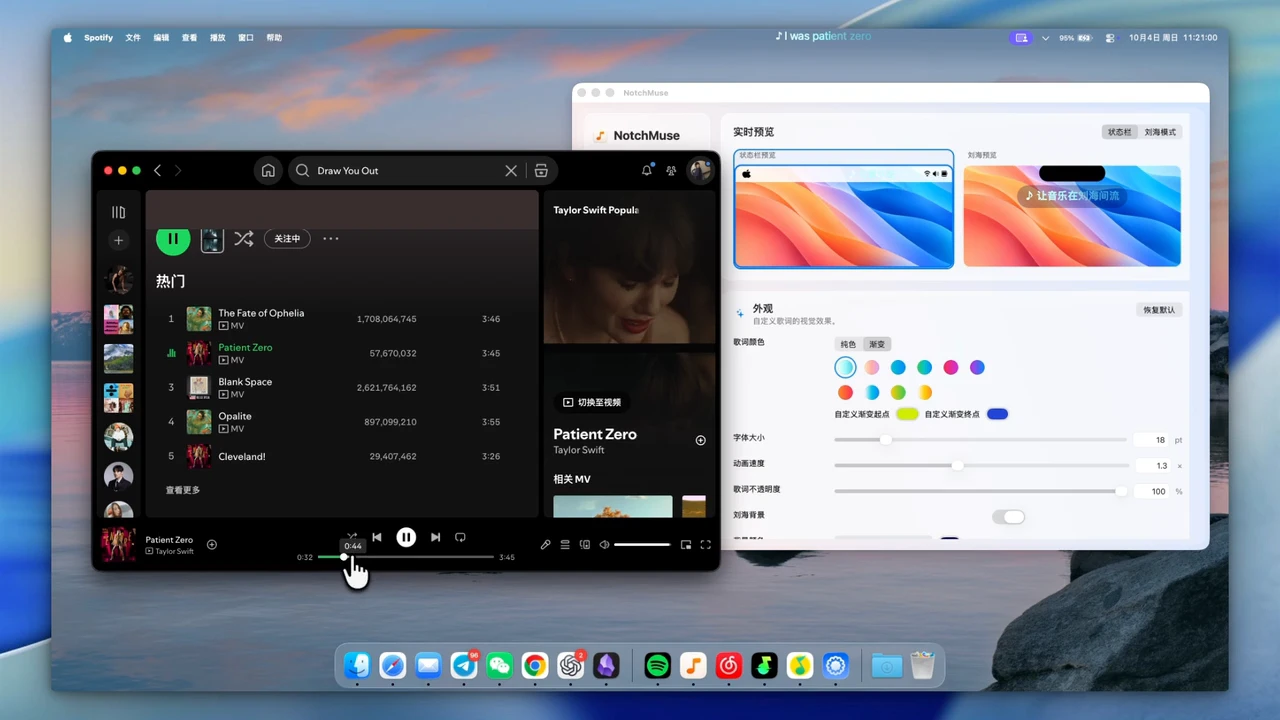
No. It is an existing NotchMuse display recording made with Spotify. The Apple Music connection steps are listed separately on this page.
Installation and privacy
The public release requires macOS 14+ and Apple silicon; Intel is not supported. Direct downloads are ad-hoc signed, without Developer ID signing or Apple notarization, so first launch may show a security prompt. Read the installation steps.
The app needs no account, collects no telemetry and does not read or upload audio. Track metadata may be sent to third-party lyric providers. Website analytics is separate and requires consent; a download click does not confirm installation. Privacy and website analytics
Sources and further reading
- NotchMuse: product, installation and privacy ↗
- Apple: View and enter lyrics ↗
- Apple: Use Music MiniPlayer ↗
Documentation reviewed October 17, 2026. Player interfaces and third-party services can change.