 NotchMuse
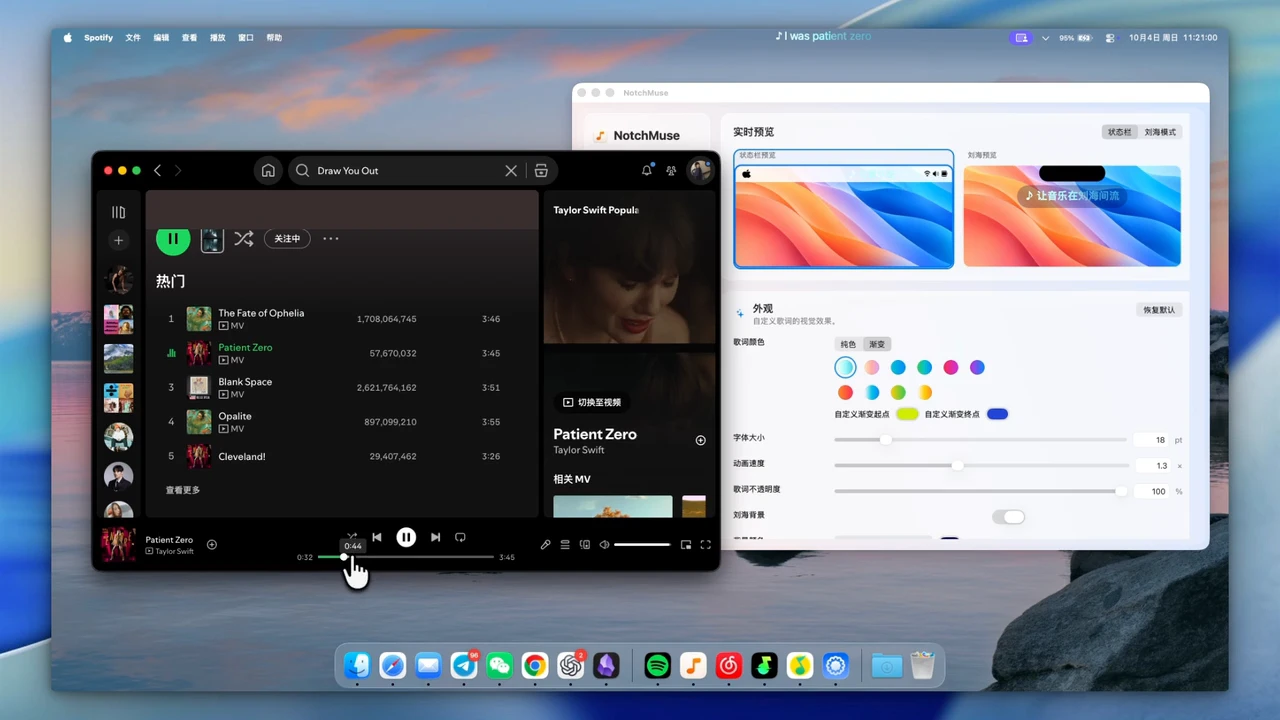
Compare the documented workflows
Written by the NotchMuse team. Documentation reviewed October 17, 2026, using the publicly available NotchMuse website and LyricsX project documentation. This is a documentation comparison, not a controlled installation, reliability or performance test. It does not establish that either app works better on your Mac.
| Area | NotchMuse | LyricsX |
|---|---|---|
| Lyrics display | Menu bar; overlay near the notch or above the Dock. | Desktop and menu bar; font, color and position customization. |
| Mac requirements | macOS 14+, Apple silicon. Intel is not supported. | The README states macOS 10.11+. This does not establish compatibility with every current OS and chip. |
| Player selection | Spotify, Apple Music, NetEase, QQ Music and Soda desktop apps; Auto Detect or manual choice. | The README links a supported-player list. Check it for your player. |
| Lyric files | No LRC/LRCX import/export workflow is confirmed in the public documentation reviewed here. | The README documents drag-and-drop lyric-file import/export and describes LRCX. |
| Lyric interaction | This guide does not establish a click-a-line-to-seek workflow. | The README documents double-clicking a lyric line to seek and adjusting lyric offset. |
| Distribution | Direct DMG. First launch may require approval because Developer ID notarization is not configured. | The project lists Homebrew, Mac App Store and release downloads; check current availability at the source. |
When NotchMuse may fit
Consider NotchMuse if you have a supported Apple silicon Mac and want the specific menu bar, notch-area or Dock-area display shown here. Check the menu bar guide and overlay positions before downloading.
If LyricsX already meets your needs, switching is optional. If you depend on lyric-file import/export, LRCX or click-to-seek, do not assume a feature-for-feature replacement. Keep that workflow until you have verified the features you need.
Try it without disrupting your current setup
- Check macOS and chip requirements, then download NotchMuse and follow the first-launch instructions.
- Choose the same music player and a few familiar songs. Check track detection, lyric matching and the display position you want.
- If both apps display lyrics, temporarily turn off one lyric display while judging readability.
- Keep your existing lyric files and settings. This guide does not provide an automated LyricsX import or migration tool.
A successful match for a few songs does not establish better catalog coverage. Different recordings and providers can give different results; compare the music you actually listen to.
If you arrived because LyricsX stopped working
First distinguish a player connection problem from a missing lyric source. Check LyricsX’s own documentation and issue tracker for the symptom you see. This page does not diagnose your installation or claim that LyricsX is broken, abandoned or incompatible with all new Macs.
An alternative may offer a different display workflow, but it cannot guarantee a lyric match for a song missing from its own providers. Use the sources below to evaluate each project rather than relying on an unverified “best alternative” claim.
Questions before you try it
Is this a benchmark?
No. It compares public documentation and explains a trial workflow. No head-to-head performance or reliability benchmark was run for this page.
Can it import my LyricsX library?
No migration workflow is established by this guide. Keep existing files and verify any required import/export feature before switching.
Should I switch if LyricsX works for me?
There is no need to switch solely because an alternative exists. Try NotchMuse if its specific display positions fit your workflow.
Installation and privacy
The public release requires macOS 14+ and Apple silicon; Intel is not supported. Direct downloads are ad-hoc signed, without Developer ID signing or Apple notarization, so first launch may show a security prompt. Read the installation steps.
The app needs no account, collects no telemetry and does not read or upload audio. Track metadata may be sent to third-party lyric providers. Website analytics is separate and requires consent; a download click does not confirm installation. Privacy and website analytics
Sources and further reading
- NotchMuse: product, installation and privacy ↗
- LyricsX: project README ↗
- LyricsX: supported players ↗
- LyricsX: releases ↗
- NotchMuse: public project ↗
Documentation reviewed October 17, 2026. Player interfaces and third-party services can change.