 NotchMuse
Start with Spotify’s own lyrics
If you only want to read lyrics inside Spotify, you may already have what you need: play a song and click the Lyrics button at the bottom of the desktop app. Lyrics availability varies by song and device.
NotchMuse is useful when you want a separate, compact lyric display while writing, browsing or working in another window. It reads the desktop player’s playback details and looks for matching lyrics through third-party providers.
Set up floating Spotify lyrics
- Install NotchMuse, then open the Spotify desktop app on your Mac and start a song.
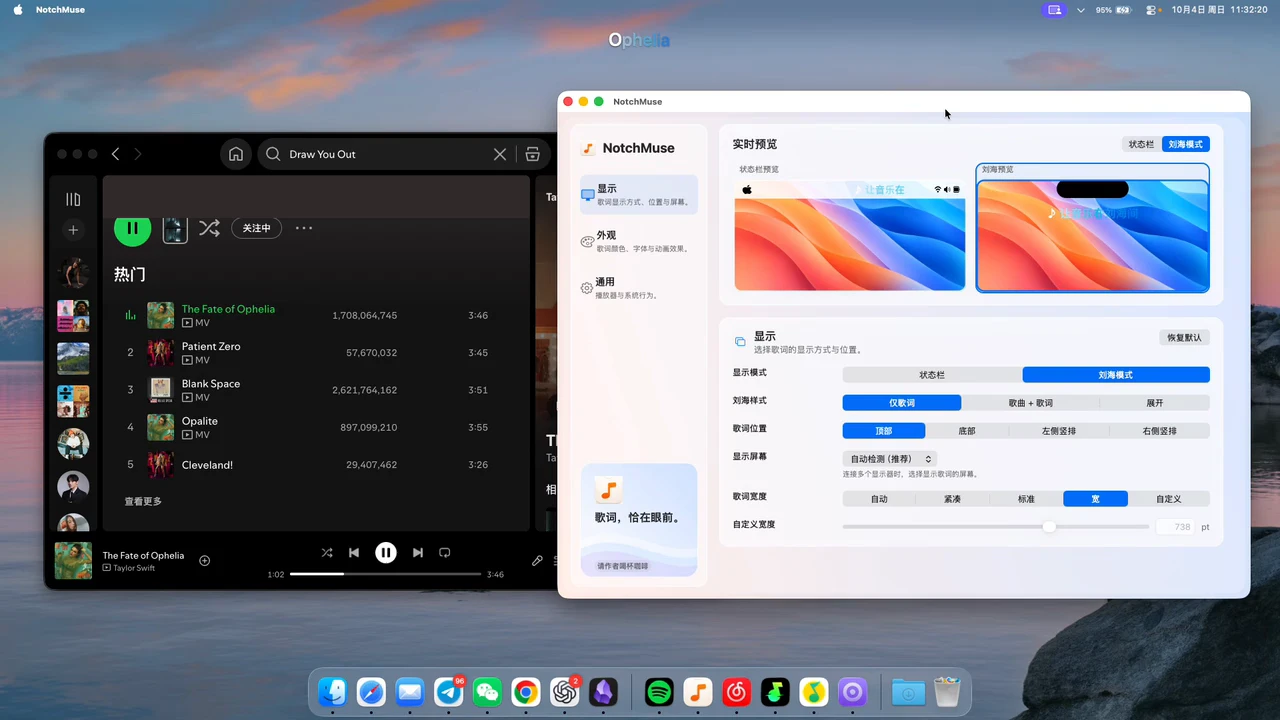
- Open NotchMuse Settings. Leave Auto Detect selected, or choose Spotify explicitly if another player is also running.
- Allow Automation access when macOS asks to let NotchMuse read Spotify’s current track and playback position.
- Choose Notch Mode for the overlay, then adjust its position and width. Choose Status Bar instead for menu bar lyrics.
To revisit a permission you previously denied, check System Settings → Privacy & Security → Automation. Accessibility is additionally needed for the left-side menu bar layout, rather than for every lyric position.
Pick the display you will actually use
If lyrics are missing or look wrong
First check that the song is playing in the Mac desktop app and the correct player is selected. If the track details are not updating, check Automation access. If the track updates but no lyrics appear, try another song to distinguish player detection from a missing lyric match.
Spotify’s own lyric catalog and NotchMuse’s providers are separate. A song working in one does not guarantee a match in the other. An overlay is not a guaranteed fix for every “Spotify lyrics not showing” problem, and this guide does not claim support for Spotify’s web player.
Questions before you try it
Does it replace Spotify?
No. Keep using Spotify to play music; NotchMuse adds a separate lyric display.
Can I keep lyrics in the menu bar instead?
Yes. Select Status Bar in NotchMuse Settings. The left-side layout needs Accessibility permission.
Does every Spotify song have synced lyrics?
No. Coverage and synchronization depend on a matching result from the lyric providers.
Installation and privacy
The public release requires macOS 14+ and Apple silicon; Intel is not supported. Direct downloads are ad-hoc signed, without Developer ID signing or Apple notarization, so first launch may show a security prompt. Read the installation steps.
The app needs no account, collects no telemetry and does not read or upload audio. Track metadata may be sent to third-party lyric providers. Website analytics is separate and requires consent; a download click does not confirm installation. Privacy and website analytics
Sources and further reading
Documentation reviewed October 17, 2026. Player interfaces and third-party services can change.