 NotchMuse
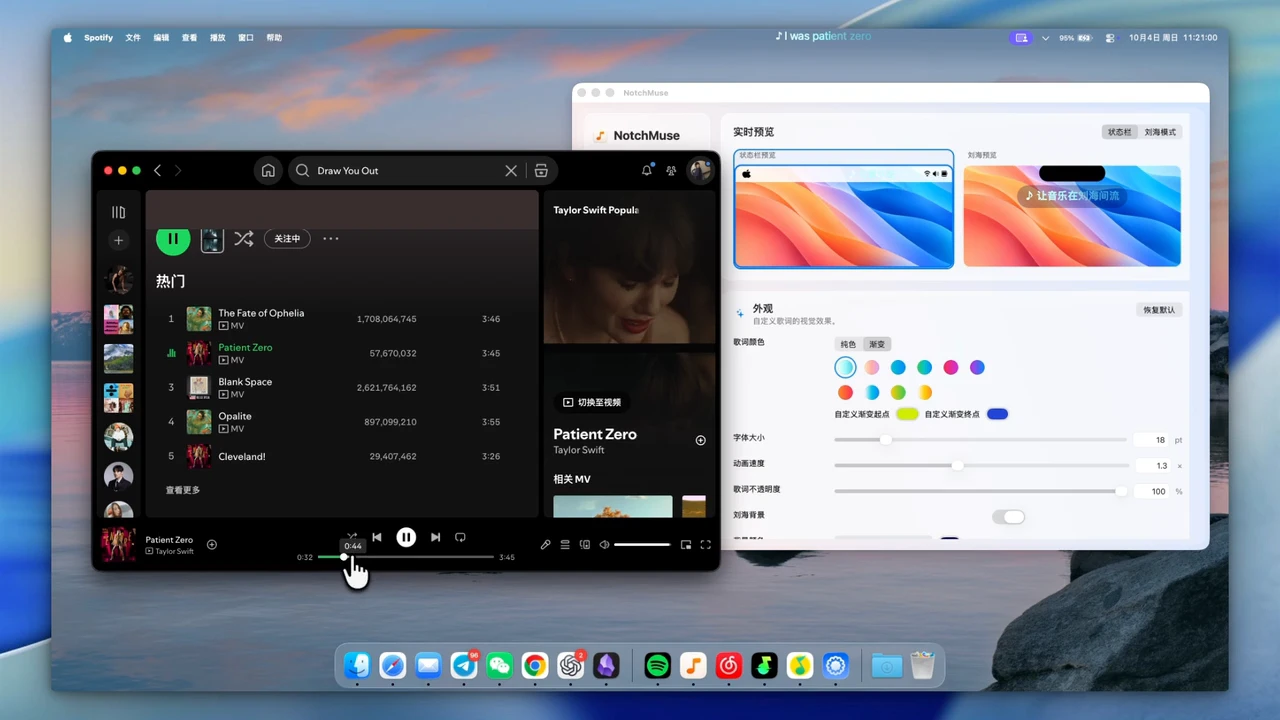
One display, several desktop players
NotchMuse supports the Mac desktop apps for Spotify, Apple Music, NetEase Cloud Music, QQ Music and Soda Music. Auto Detect follows the player currently playing; manual selection is available when you want to choose one.
This is the lyric line displayed inside the macOS menu bar. If you prefer more room for the words or want lyrics nearer the Dock, use the separate Notch Mode overlay. NotchMuse does not organize or hide other apps’ menu bar icons.
Turn on menu bar lyrics
- Start a song in a supported desktop player.
- Open NotchMuse Settings from its menu bar icon. Check Auto Detect or select the player you are listening to.
- Choose Status Bar, then choose your preferred position and display width.
- Adjust font size and lyric colors so the text is readable against your menu bar.
Start with a short line, then try a song with longer lines. Give the lyric area enough width for your usual music rather than judging the layout from one song.
Why the left-side layout asks for access
Spotify and Apple Music may prompt for Automation permission so NotchMuse can read track details and playback position. The left-side status bar layout also needs Accessibility permission.
These permissions serve different jobs. If the song information is stale, check player access under System Settings → Privacy & Security → Automation. If you selected the left-side layout and it does not appear, also check Accessibility. Grant the access requested for the layout you use.
Make room for the line
A crowded menu bar, large text and long lyric lines compete for the same space. Try a different position, a smaller font or a different width. If another menu bar utility hides NotchMuse’s icon, check that utility’s settings.
For more flexible placement, switch to Notch Mode and move lyrics near the top or above the Dock. Both displays follow the same selected player; they are ways to view your lyrics, not separate music players.
Questions before you try it
Does menu bar mode need a MacBook notch?
No physical notch is required for Status Bar Mode. You still need a supported Apple silicon Mac running macOS 14 or later.
Which permission is needed for the left layout?
The left-side menu bar layout needs Accessibility access. Spotify and Apple Music may separately require Automation access.
Why does one song have no lyrics?
Player support does not guarantee lyric coverage for every song. Check whether the track updates, then try another song to separate matching from playback detection.
Installation and privacy
The public release requires macOS 14+ and Apple silicon; Intel is not supported. Direct downloads are ad-hoc signed, without Developer ID signing or Apple notarization, so first launch may show a security prompt. Read the installation steps.
The app needs no account, collects no telemetry and does not read or upload audio. Track metadata may be sent to third-party lyric providers. Website analytics is separate and requires consent; a download click does not confirm installation. Privacy and website analytics
Sources and further reading
Documentation reviewed October 17, 2026. Player interfaces and third-party services can change.