 NotchMuse
Why NetEase Mac users need a better lyric companion
The default NetEase Cloud Music desktop lyric bar can block code editors, design canvases, or browser controls when you are working. NotchMuse replaces that bulky bar with a quiet, native macOS lyric display.
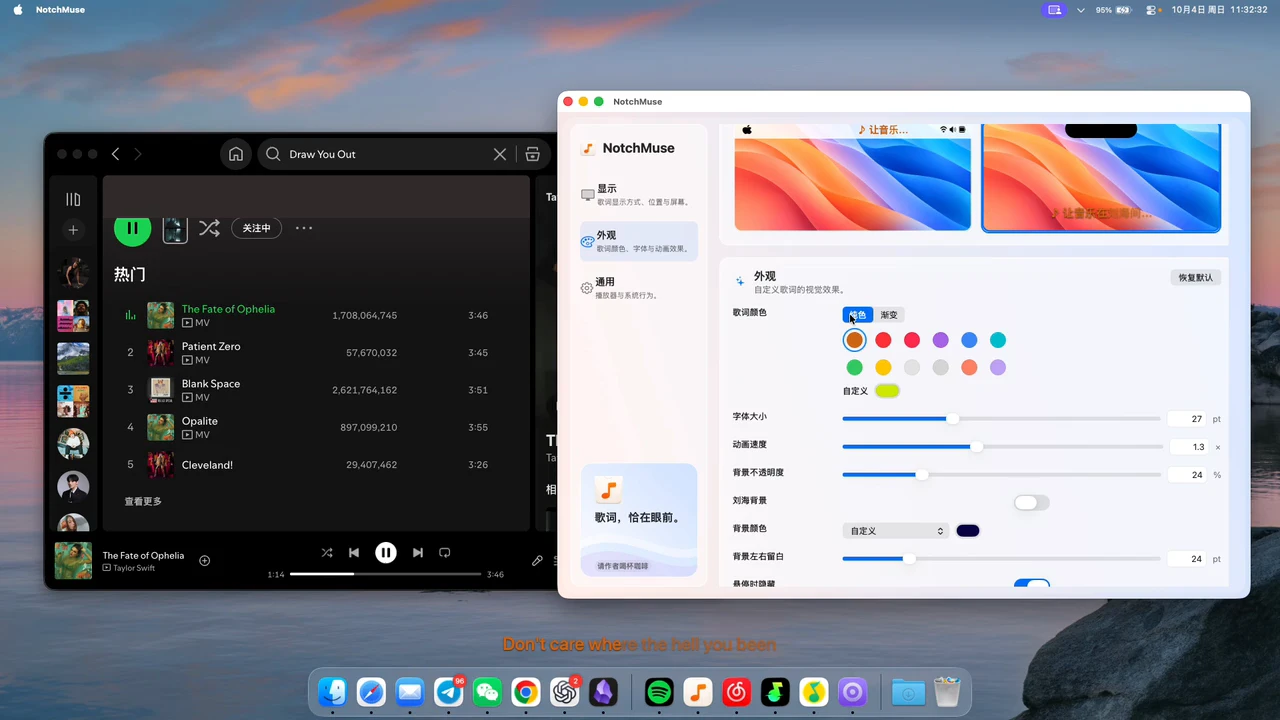
Keep lyrics tucked neatly in your menu bar, near the MacBook notch, or as a click-through floating overlay.
Native Apple silicon design
NotchMuse is a lightweight native Swift/AppKit app built for macOS 14+ on Apple silicon. It is designed to stay out of your way and run smoothly alongside heavy daily workloads.
Customize color presets, opacity, display width, and animation speed to match your desktop theme.
Setup: linking NetEase Cloud Music with NotchMuse
- Open the NetEase Cloud Music Mac desktop app and optionally turn off its built-in desktop lyric bar.
- Start playing a song so macOS Now Playing reports the active track.
- Open NotchMuse Settings, keep Auto Detect enabled (or select NetEase Cloud Music), and choose your preferred display mode.
Clean text display formatted for macOS
NotchMuse formats the primary time-synced lyric line for compact spaces like the MacBook notch and menu bar, keeping your screen calm and distraction-free. When the lyric source provides word-timed timestamps, playback follows smoothly word by word.
Questions before you try it
Does NotchMuse support NetEase Cloud Music desktop app for macOS?
Yes. NotchMuse detects the official NetEase Cloud Music desktop client through macOS Now Playing APIs.
Which songs get synchronized lyrics?
Songs with standard synchronized lyric sources in public repositories will sync automatically. Instrumentals or obscure live covers may display the title and artist only.
Will NotchMuse conflict with the built-in NetEase desktop lyric bar?
Not at all. You can safely turn off the built-in NetEase floating lyric bar in its settings to keep your screen completely clutter-free.
Is an active NetEase VIP membership required?
No. NotchMuse is an independent free display utility and does not require any paid tier or subscription from your music streaming service.
Installation and privacy
The public release requires macOS 14+ and Apple silicon; Intel is not supported. Direct downloads are ad-hoc signed, without Developer ID signing or Apple notarization, so first launch may show a security prompt. Read the installation steps.
The app needs no account and does not read or upload audio. Track metadata may be sent to third-party lyric providers. Website analytics is separate from the app; a download click does not confirm installation. Privacy and website analytics
Sources and further reading
Documentation reviewed November 21, 2026. Player interfaces and third-party services can change.