 NotchMuse
Top 4 MacBook notch apps side by side
Rather than crowning one winner for everyone, this table separates each app by what it actually focuses on and how it is licensed.
| Application | Primary Focus | Key Features | Pricing & License | Best Suited For |
|---|---|---|---|---|
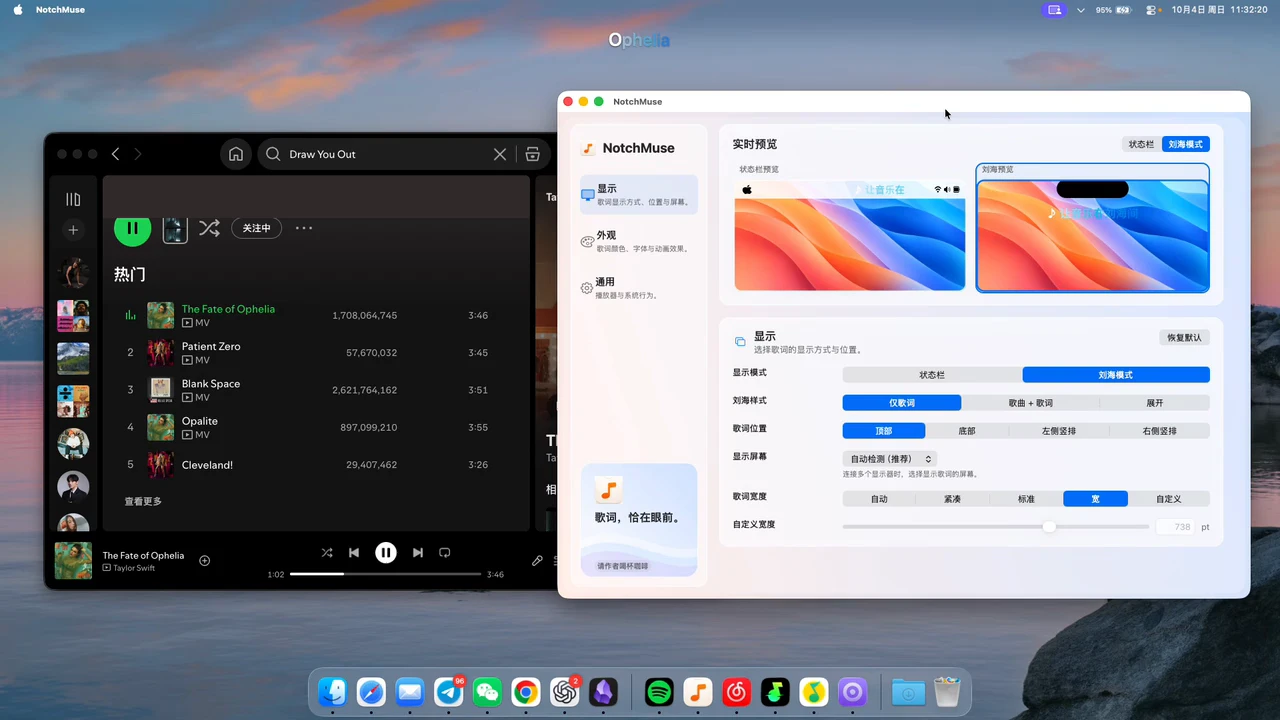
| NotchMuse | Dedicated live music & lyrics companion | Synced lyrics around the notch or above the Dock, Status Bar Mode, click-through floating overlay, macOS Now Playing integration (Spotify, Apple Music, NetEase, QQ, Soda Music). | Free & open source (no account) | Listeners who want distraction-free live synced lyrics while working. |
| Boring Notch | Media controls & notch drop tray | Playback controls, file drop-shelf below the notch, battery and calendar indicators. | Open source / donation | Users looking for an all-in-one notch HUD with file staging and playback controls. |
| NotchNook | Modular notch shelf & shortcuts | Expandable notch shelf, file drag-and-drop tray, quick app shortcuts, live activities. | Paid commercial license (trial available) | Multitaskers who frequently drag and drop files into a multi-purpose notch drawer. |
| Alcove | Notch notifications & media | Interactive notch alerts, calendar reminders, charging indicators, media popups. | Paid license (one-time purchase) | Users seeking an iOS-style notification companion centered around the MacBook notch. |
How to choose the right notch utility for your workflow
- Dedicated live synced lyrics → NotchMuse: Free, open-source, lightweight Swift/AppKit app built specifically for real-time lyrics around the notch, above the Dock, or in the menu bar across 5 major desktop players.
- Open-source media HUD + file drop shelf → Boring Notch: Good fit if you want quick playback controls and a drop tray beneath the notch.
- Modular multi-purpose shelf → NotchNook: Commercial utility centered on drag-and-drop file staging and quick shortcuts.
- Notification-focused island → Alcove: Paid one-time license focused on calendar alerts, charging prompts, and interactive notifications.
Hardware compatibility & external display notes
Many MacBook users work on external displays part of the day. Check how a notch utility adapts when no camera cutout is present. NotchMuse pairs its Notch Mode with Status Bar Mode and Floating Mode so your lyrics stay readable on any screen.
Frequently asked questions
Do MacBook notch apps slow down macOS or drain battery?
Well-built native macOS applications written in Swift and AppKit (such as NotchMuse) are lightweight and stay quiet when idle, designed to stay out of your way during daily work.
Can I use a notch app if I connect my MacBook to an external monitor?
Yes. Each app handles non-notched screens differently—for example, NotchMuse works cleanly in Status Bar Mode or Floating Mode on external displays and Macs without a notch.
Are all MacBook notch apps free?
No. NotchMuse is free and open source. Other apps in the ecosystem range from open-source utilities to commercial paid software with trial periods.
Which MacBook models have a physical notch?
Notched MacBook Pro (14-inch and 16-inch) and MacBook Air (13-inch and 15-inch) models with Apple silicon feature the built-in camera notch.